
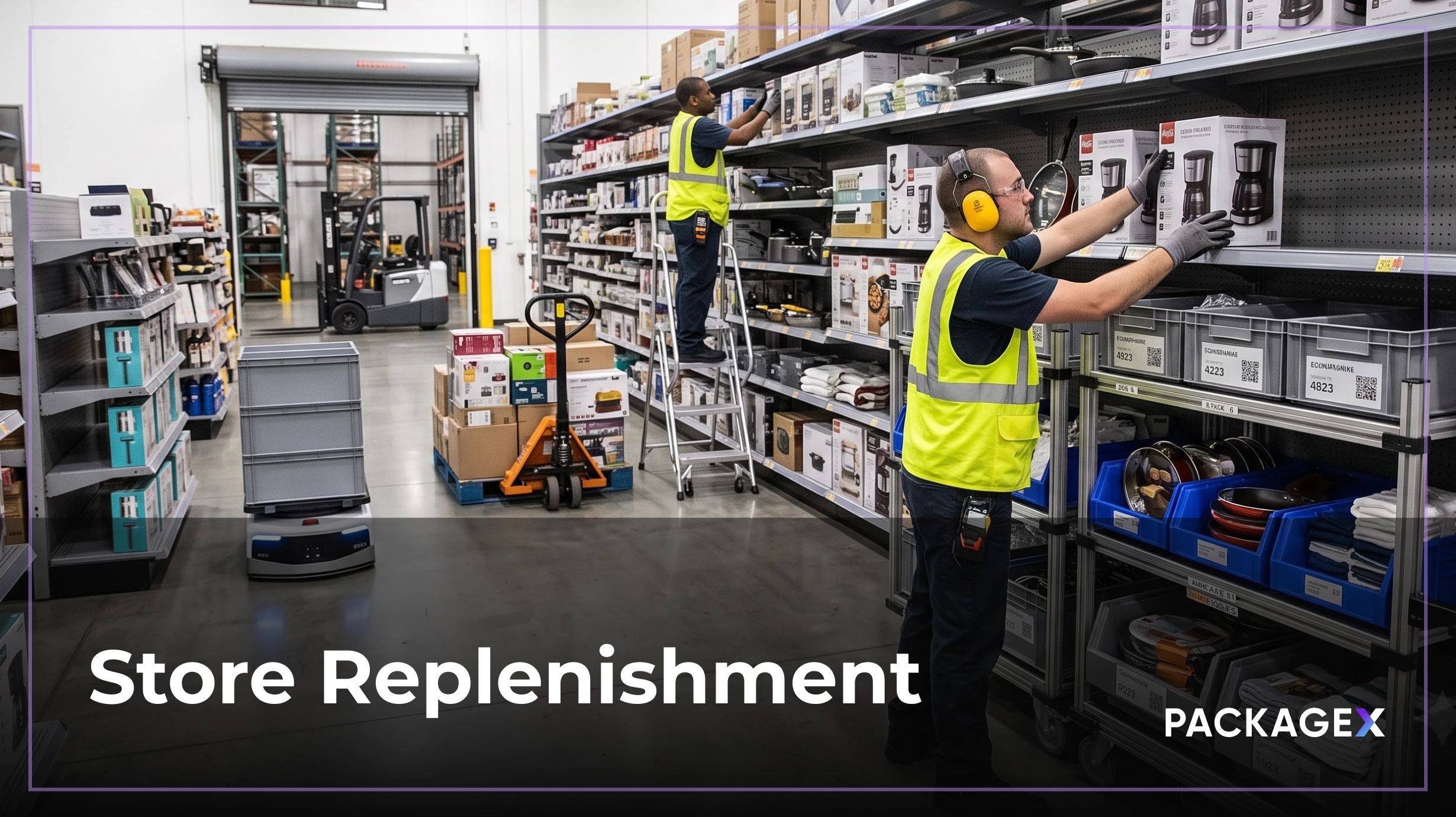
Empty shelves cost you a sale. Overstocked ones tie up cash, chew through markdowns, and cover the back room in inventory nobody wants. Store replenishment is what keeps you off both edges. Do it right, and the right product lands on the right shelf at the right time. Do it wrong and every other retail decision runs on bad data.
The replenishment market is projected to grow from USD 4.09 billion in 2025 to USD 10.30 billion by 2034, registering a CAGR of 10.80%, a sign that more retailers are moving beyond spreadsheets to systems built for the job.
This guide covers what store replenishment is, how the process works, and the automation and data layers most guides skip.
What Is Store Replenishment?
Store replenishment is the continuous process of moving inventory from a distribution center or warehouse to a retail store so shelves stay stocked at the right level. It is the operating discipline that keeps a store selling and a chain running.
The scope is broader than one shipment. Store replenishment covers demand forecasting, stock-level monitoring, reorder generation, transportation from the DC, receiving at the store, and the shelf-fill task itself. Each stop has to match the plan for the next customer to find what they came in for.
Retailers used to manage this manually, with store managers eyeballing shelves and writing weekly orders. Modern operations run it as a data-driven program: automated triggers pull from real-time inventory data, replenishment systems generate purchase orders, and DC-to-store logistics execute on tight windows. Every part of the flow, from the shelf-edge scan to the truck arrival, is tied to a shared record.
The goal is simple in words and hard in practice: keep the shelf full without carrying more inventory than the store can sell.
Store Allocation & Replenishment: The Difference
The two terms get used interchangeably but do different jobs.
Store allocation is the initial push. When a new product launches, a season starts, or a store opens, allocation moves the first wave of stock out to each location. It is planned centrally and pushed based on assortment plans, not customer demand.
Store replenishment is the ongoing pull. Once product is on the shelf and starts selling, inventory replenishment refills what is consumed based on actual demand signals. It is demand-driven and continuous.
Get the allocation wrong, and stores start out of balance. Get the replenishment wrong, and they stay that way. Treating store allocation & replenishment as one connected discipline is what separates chains that manage inventory cleanly from chains that constantly firefight.
Why Retail Store Replenishment Matters
Retail store replenishment sits between two expensive failures. Both come from the same root cause: replenishment decisions made on bad or late data. When the system thinks a SKU is in stock but the shelf is empty, or the DC ships to a store that already has three cases in the back, the whole model breaks.
- Prevents Stockouts: Stockouts drive customers to competitors and cost the industry an estimated USD 200 billion a year in lost sales.
- Controls Overstock: Overstock ties up working capital, forces markdowns, and clogs the back room with inventory nobody planned for.
- Reduces Lost Sales: Full shelves capture every intended purchase, not just the ones customers happen to walk past.
- Cuts Carrying Cost: Right-sized inventory means less cash frozen in stock and lower storage overhead at the store and DC.
- Keeps Cash Flowing: Fewer emergency reorders and less deadstock free working capital for growth and promotions.
- Protects Customer Trust: Consistent availability keeps shoppers loyal and lifts basket size over time.
Retailers that automate replenishment typically cut stockouts by up to 60%, according to industry studies of connected retail logistics operations. That is the size of the prize.
The Store Replenishment Process, Step by Step
The store replenishment process runs in four steps. Each one produces a system event that feeds the next.
- Forecast Demand: Use historical sales, seasonality, promotions, and store-level trends to predict how much of each SKU the store will sell over the coming replenishment cycle.
- Check Current Inventory: Compare live on-hand counts at the store against the forecast. Include stock in transit and any pending returns.
- Reorder: Generate a replenishment order to the DC or supplier for the gap, adjusted for pack size, safety stock, and lead time.
- Monitor and Adjust: Track fill rate, on-shelf availability, and cycle time. Feed exceptions back into the forecast for the next cycle.
The process is only as good as your data accuracy. If the on-hand count is wrong, the forecast is wrong. If the forecast is wrong, the reorder is wrong. Every downstream signal inherits that error until someone counts the shelf manually.
Replenishment Cadence
Cadence varies by product velocity. Fast movers (bread, milk, top-selling apparel) get daily or twice-daily replenishment. Medium movers get weekly. Slow movers get monthly or promotion-driven cycles. Getting cadence right prevents both truck waste and stockouts.
Store Replenishment Methods & the Store Replenishment System
There are a handful of replenishment methods, and most retailers combine two or three.
- Reorder Point (Min/Max): When stock drops to a set minimum, order back up to the maximum.
- Top-Off: Replenish every SKU up to a target level on a regular schedule.
- Periodic: Review inventory on a fixed cycle (weekly, monthly) and order what is needed.
- Demand-Driven: Trigger orders based on real-time consumption signals rather than fixed thresholds.
Push vs. pull is the underlying choice. Push sends inventory based on a central plan (allocation-style). Pull triggers replenishment based on real store demand.
A store replenishment system is the software that automates these methods. It pulls point-of-sale data, on-hand counts, forecast outputs, and supplier lead times, then generates and routes purchase orders. Modern systems layer machine learning on top of the rules, adjusting reorder points as demand patterns shift. Without a system, replenishment runs on spreadsheets, gut feel, and store manager time. With one, it runs on data.
Automatic vs. Automated Store Replenishment
Automatic and automated get used interchangeably, but there is a distinction worth knowing.
Automatic store replenishment is fully hands-off. The system generates a replenishment order and sends it to the supplier or DC without any human review. Rules and triggers, like reorder points, min/max thresholds, or Takt-style consumption signals, fire the order the moment they hit.
Automated store replenishment is a broader category. It uses software to handle parts of the workflow but may still route decisions through a human for approval. A demand forecast may run automatically, but a category manager confirms the reorder before it goes out.
Modern platforms increasingly combine forecasting, rules, and machine learning to drive true automatic replenishment for high-velocity SKUs. Automated flows still handle slow movers, one-off events, and exceptions.
The ROI is meaningful either way. Retailers report cutting stockouts by up to 60%, eliminating hundreds of manual purchase orders per store per week, and freeing category managers from routine transactions. The bigger prize is fewer errors, since manual reorders are one of the most common sources of over- and under-buying at the store level.
Store Replenishment Logistics & Warehouse Automation
Store replenishment logistics is the physical flow that makes the plan real. Once an order is generated, it triggers a pick at the DC, a truck load, transport to the store, and receiving at the back dock.
The complexity hides in the details. Lead times differ by supplier, by lane, and by day of week. Retailers with tight delivery appointments have to sequence stores so trucks land in the right order. Multi-echelon operations that ship from vendor to central DC to regional DC to store need to coordinate replenishment across every level to avoid stockpiling at one echelon and starving another.
Walmart runs one of the most disciplined store replenishment programs in retail. Its centralized DCs push daily replenishment to stores based on point-of-sale data captured every 15 minutes, and its Retail Link platform gives suppliers direct visibility into shelf-level performance so vendor-managed inventory (VMI) can trigger reorders without a manual PO.
Store replenishment warehouse automation is what makes the DC side scale. A modern warehouse running replenishment for hundreds of stores relies on:
- WMS to orchestrate picking, staging, and dispatch by store.
- Barcode and RFID scanning to verify every pick against the store order.
- Automated Pick and Pack using pick-to-light, voice picking, or goods-to-person systems.
- ASRS (Automated Storage and Retrieval Systems) for high-density, high-throughput storage.
- WES Layer for real-time task orchestration across people and equipment.
Modern retail also stretches store replenishment beyond DC-to-shelf. Omnichannel operations use store inventory to fulfill online orders through BOPIS (buy online, pick up in store), ship-from-store, and endless-aisle programs. Every unit sold online from a store shelf becomes an immediate replenishment signal, and the store's inventory system has to reflect that in real time or the next customer walks into a stockout. Retailers running omnichannel replenishment need shorter cycles, tighter accuracy, and integration between POS, ecommerce, and the DC replenishment engine.
Without warehouse automation, DC-to-store replenishment caps at whatever manual picking can support. With it, the same footprint services more stores with tighter accuracy.
Where Packaging Fits in Store Replenishment
Store replenishment packaging is quietly one of the biggest determinants of replenishment speed and accuracy. Get it right, and stores receive, count, and shelve product in minutes. Get it wrong and every case adds friction to the store replenishment logistics chain.
Four areas matter most:
- Selling Pack Quantity (SPQ): Match case packs to the shelf capacity so a full case fills a single facing without overflow into the back room. Costco built its entire model around SPQ discipline; product arrives on the pallet in the same configuration it hits the sales floor, cutting store labor to a fraction of a conventional grocer.
- Floor-Ready Merchandising (FRM): Cases designed to be placed directly on the shelf, cut-case style, without repacking. FRM can cut labor per case at the store by 40 to 60 percent and speeds up replenishment cycles noticeably.
- Store-Ready Labeling: Clear SKU, PO, destination, and quantity info on the outer carton speeds receiving and cuts counting errors. Retailers like Trader Joe's require suppliers to label every case with a store-specific destination code so replenishment lands on the right dock the first time.
- Scannable Barcodes: GS1-compliant carton labels let receiving teams scan a case once and update inventory control levels across all its units at the same time.
Packaging is often treated as a supplier decision, but it directly shapes how fast store replenishment lands on the shelf. The retailers with the tightest replenishment programs are also the ones with the strictest packaging specs.
Choosing Store Replenishment Solutions
The market for store replenishment solutions is crowded. Most tools do the same core functions: forecasting, reorder generation, exception handling, and reporting. The real differences show up in accuracy, integration, and how well the tool handles bad input data.
That last point is the biggest gap. A replenishment engine that runs on unreliable inventory data still spits out unreliable orders. Reorder points based on wrong on-hand counts, forecasts trained on distorted sales history, and safety stock calibrated to inflated shrinkage rates all fail the same way.
What to look for in a replenishment solution:
- Real-Time Inventory Visibility across every store and DC.
- AI-Powered Receiving and Scanning that keeps the on-hand count honest at the source.
- Native Integrations to POS, ERP, WMS, and supplier EDI.
- Configurable Rules for velocity segmentation, safety stock, and promotional demand.
- Exception Dashboards that surface data quality problems before they distort orders.
The best solution stack pairs a strong replenishment engine with a data foundation that keeps the numbers clean.
KPIs & Best Practices
Track five KPIs to keep replenishment honest:
- Fill Rate: Percentage of ordered units the DC actually ships.
- In-Stock %: Percentage of SKUs available on the shelf when a customer looks.
- Inventory Turns: How many times stock cycles through the store per year.
- Stockout Rate: How often SKUs run to zero.
- GMROI: Gross Margin Return on Investment: margin generated per dollar of inventory carried.
Best practices that separate top performers:
- Segment by Velocity. Fast movers, medium, and slow all need different replenishment logic.
- Right-Size Safety Stock. More is not safer; it just costs more.
- Collaborate With Suppliers. Share forecasts and stock signals to shorten lead times.
- Clean the Data First. Every replenishment gain compounds when the underlying numbers are trusted.
The Data Layer Your Replenishment Stack Actually Needs
The best replenishment engine in the world still fails if the inventory data feeding it is off. And most inventory data starts at the receiving dock, where a case gets miscounted, a label gets misread, or a shipment gets typed into the system by someone under time pressure. That single error ripples through the whole program: on-hand counts drift, forecasts train on garbage, reorders overshoot or undershoot, and the store either stocks out or piles up in the back.
PackageX solves for that failure point. It is not a replenishment system. It is the data-accuracy layer that sits underneath one, using Vision AI to read supplier labels, packing slips, and case barcodes from a single camera frame with no manual keying required. Damage, short ships, and PO mismatches surface as alerts before they touch inventory. Verified events sync in real time to your POS, ERP, and existing replenishment engine, keeping the numbers honest at the source.
For a retailer running store replenishment across dozens or hundreds of locations, this is the difference between a replenishment program that works on paper and one that actually keeps shelves full. Your forecasting model does not change. Your reorder rules stay in place. What changes is the quality of every input driving them.
That is how you make replenishment software earn its keep.
Conclusion
Store replenishment is what keeps the shelf full and the customer coming back. The retailers that win are the ones who treat it as a data-driven, automated program, not a weekly spreadsheet exercise. Get the process right, pick the right methods, invest in the right system, and, most importantly, feed all of it with verified inventory data. That is the difference between shelves that sell and shelves that sit.
Frequently Asked Questions
What Is the Difference Between Store Allocation and Store Replenishment?
Allocation is the initial push of stock to a store, usually for a launch or season. Replenishment is the ongoing, demand-driven refill of what has sold. Allocation gets stock on the shelf the first time; replenishment keeps it there.
How Do You Calculate a Store's Reorder Point?
The reorder point is the stock level that triggers a new replenishment order. Calculate it as (daily sales × supplier lead time) + safety stock. If a store sells 20 units per day with a 5-day lead time and holds 30 units as safety stock, the reorder point is 130. When on-hand drops to 130, the system triggers the next order.
What's the Difference Between JIT and Store Replenishment?
Just-in-time (JIT) is a manufacturing philosophy that arrives at the exact moment of need with minimal buffer. Store replenishment is the retail application of similar principles, using demand signals to trigger DC-to-store shipments. Both aim to reduce carrying cost and match supply to real demand, but store replenishment usually carries more safety stock to protect against customer-facing stockouts.
.webp)